An Ayurvedic practice needs more from its software than a calendar and an invoice. It needs a place for vikriti next to prakriti, for nadi and jihva findings, and for a care plan that runs from aushadha through ahara and vihara to a panchakarma course. When those live in one record, you are not left piecing a patient together from several tools and a notebook.
This guide is for practitioners in Europe and the UK deciding what to run their practice on. It follows the order in which these questions tend to hurt: the patient's side first, then your documentation, then operations, then law and money.
1. Intake that works in the patient's language
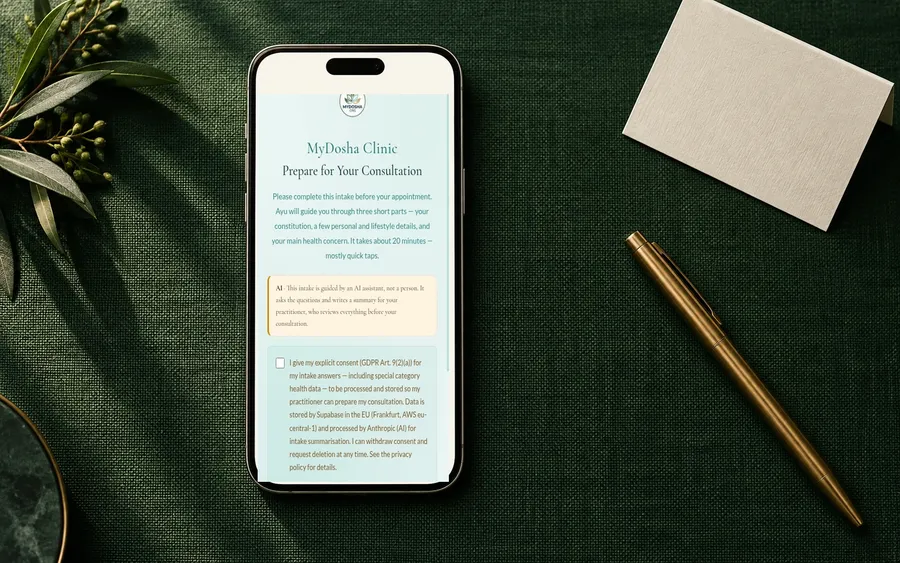
The intake decides how much you know before the patient sits down. Check that it asks about sleep, appetite, meal timing, elimination and stress in enough depth that you walk in with a picture, not just "tired" and "irregular".
Language matters here. A patient answering in their second language may pick the nearest word rather than the true one, and the differences that separate a Vata picture from a Pitta one can get lost.
So be precise with vendors. Ask which languages a patient can actually select today, and whether the clinical wording in each one has been reviewed. In German, for example, check that patients are addressed formally, as Sie.
- Which languages can a patient choose today, as opposed to "planned"?
- Does the patient need an app, an account or a password?
- Does it work on a phone, from a link you send by email or message?
- If the patient answers in one language, can you read the summary in yours?
How MyDosha handles it: English, Dutch, German and European Portuguese are live today, and the patient picks between them before the first question. German and Portuguese patient-facing copy use the formal address throughout. The patient opens your branded link on any device, with no app or account, and the summary lands in your portal language.
2. Documentation that speaks Ayurveda
Ayurvedic documentation has a structure, and the software should carry it. You want findings in fields you can compare across visits, not only in a free-text notes box.
Prakriti and vikriti, kept apart
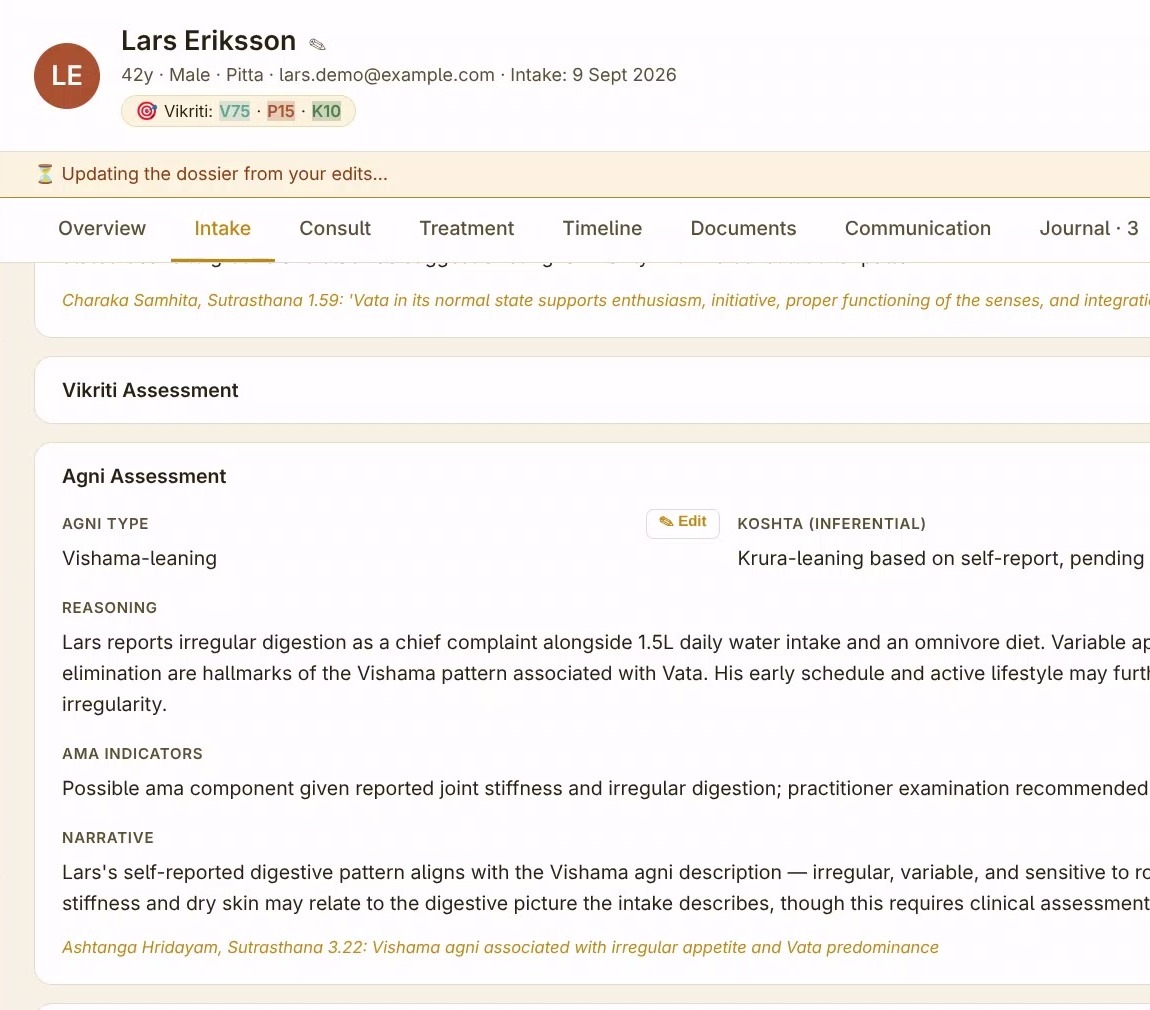
The gap between a patient's constitutional baseline and their current state is the foundation of treatment planning (we wrote about why in Prakriti vs Vikriti). Look for software that holds the two separately, lets you revise vikriti at each visit, and shows you how it has moved over a course.
Ashtavidha pariksha as structured fields
The eight-fold examination should be distinct fields, not a heading you type under. Structured fields let you look back at the jihva on day one of a course, and see a nadi finding next to the plan it informed.
An AI summary, if there is one, that describes rather than declares
An AI-written intake summary can save real preparation time, but read one closely before you buy. It should say "the patient reported", not "the patient has". The examination is yours, and a summary that sounds like a verdict could colour it.
- Are prakriti and vikriti recorded separately, and can vikriti be updated per visit?
- Is each ashtavidha pariksha finding its own field, with visit history kept?
- Can you attach clinical photos, such as the tongue at the start and middle of a course?
- Can the whole workspace run with the AI switched off?
How MyDosha handles it: the Exam tab has fields for Nadi, Jihva, Netra, Sparsha, Akriti, Agni, Ama, Mala, Mutra and Manas, plus vikriti sliders you revise each visit, with visit history preserved. The 8-section intake dossier reorganises what the patient reported and is not a diagnosis. One switch in Settings turns the AI features off, and the records, exam, plans, scheduling and invoicing keep working.
3. Care plans and the classical formulary
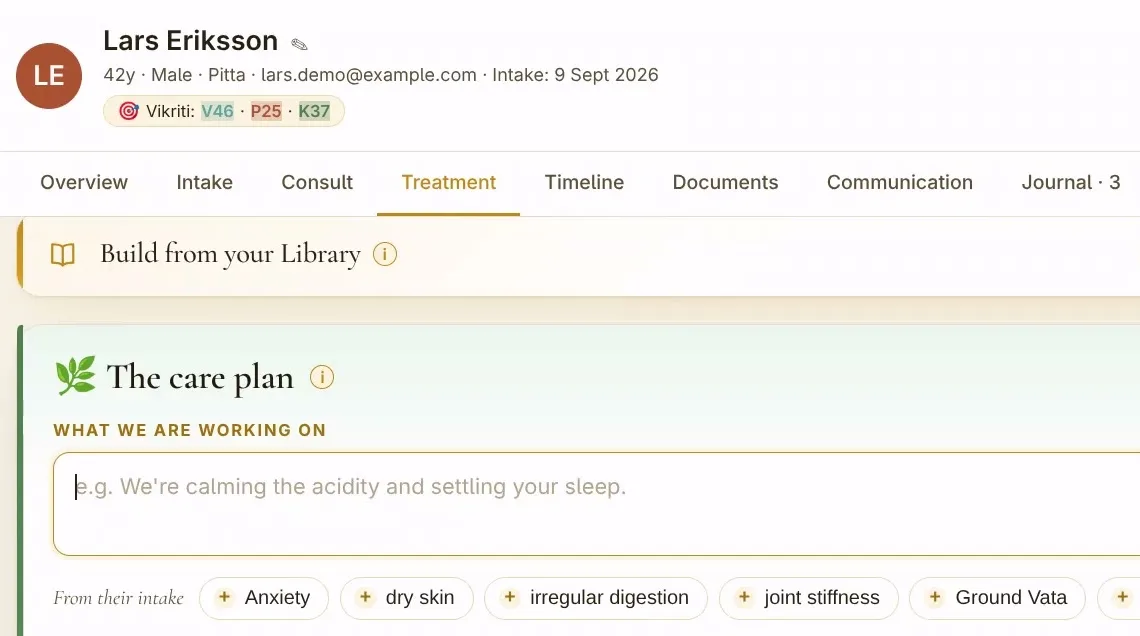
A care plan in Ayurveda is not one field. Aushadha, ahara, vihara and panchakarma are different kinds of guidance, often reviewed at different times, and it helps to hand them to patients in that shape. Look for a plan structure that mirrors chikitsa, with a field for each.
A searchable formulary helps too, as long as it is a reference and not a recommender: classical formulations with traditional indications, dosage ranges and textual sources, checkable without leaving the record. Choosing a formulation for a given patient is a clinical decision, so check that the formulary informs your choice rather than making it.
- Is the plan structured as aushadha, ahara, vihara and panchakarma?
- Where do the formulary entries come from, and do they cite classical sources?
- Can you add your own formulations and reusable plan templates?
- Can the plan be sent to the patient, and can the patient see it later?
How MyDosha handles it: the Treatment tab has separate aushadha, ahara, vihara and panchakarma fields that you write, a follow-up date and notes. The formulary picker searches 53 classical formulations with dosage, indications and classical references, and inserts the name into aushadha; what to prescribe stays your decision. Plans can be emailed to the patient and viewed in their own portal.
4. Scheduling that fits treatment courses
Ayurvedic scheduling has its own needs. A panchakarma course is several linked sessions over consecutive days, and an abhyanga may need two therapists and a specific room, so check that the calendar can book a series and warn about room clashes. If your clinic matches therapist and patient gender, check that it can do that too. And if you also treat, you need to block time for preparation and for your own practice.
- Can you book a recurring series, such as a multi-day course, in one go?
- Are treatment rooms bookable resources that cannot be double-booked?
- Do reminders go out automatically, in the patient's own language?
- Can patients book themselves, and can you see the agenda in your own calendar app?
How MyDosha handles it: single and recurring appointments, block-time for holidays and breaks, clash detection for practitioners and rooms, automatic reminders in the patient's language, patient self-booking, same-gender treatment matching, and a private iCal feed for Google Calendar, Apple Calendar or Outlook.
5. Invoicing and local tax exports
Invoicing needs to fit where you practise. Rules can differ by country and by how you are registered: whether your treatments carry VAT, what an invoice must show, and what format your accountant wants at year end. In Germany, for example, ask whether your Steuerberater wants a DATEV export. Your accountant decides your tax treatment; check that the software makes their instructions easy to follow.
- Are invoice numbers sequential, and can VAT be set per line?
- What does the year-end export look like, and has an accountant in your country used it?
- How do patients pay today: bank transfer, card, or both?
- Does dispensing a formulation update stock?
How MyDosha handles it: invoices with VAT rules, sequential numbering, payment reminders and line items for dispensed herbs; annual and monthly exports for your accountant, and a DATEV export for German practices. Online card payment by patients is not yet available to new clinics, so invoices are settled by bank transfer for now.
6. Data protection: where records live, and who signs for it
Patient records in an Ayurvedic practice usually contain data concerning health, which the GDPR (and the UK GDPR) treats as a special category of personal data. As the practitioner deciding why and how those records are processed, you are usually the controller. India has its own framework in the Digital Personal Data Protection Act, 2023. When a vendor processes your patients' records on your behalf, it usually acts as your processor; where it does, Article 28 GDPR requires a written contract, a data processing agreement (DPA).
Data protection obligations sit with you as well as with any processor you use, so ask for facts rather than a label.
- In which region is the database hosted? Get the region, not "in the cloud".
- Is there a published sub-processor list, including any AI provider, and where does each one process data?
- Do you get a signed DPA, and when?
- Is sign-in protected by a second factor?
- Can you export all patient records yourself, and delete your practice when you leave?
How MyDosha handles it: patient records are stored in the EU, in Supabase on AWS eu-central-1 (Frankfurt). AI processing uses Anthropic's API (US, under Standard Contractual Clauses), and dictation uses Deepgram at an EU endpoint; the full list is on the Security & Trust page. A signed Data Processing Agreement comes with every paid plan, and the agreement is published at /dpa. Sign-in uses a password plus an email code, and CSV export and practice deletion are self-serve.
7. The medical-device boundary
This question is easy to overlook, and it matters. In the EU, software intended to diagnose, treat, monitor or predict disease can qualify as a medical device under Regulation (EU) 2017/745, the Medical Device Regulation. Where it does, it needs conformity assessment and CE marking before it can be placed on the market. The UK and India have their own medical-device rules.
The practical test is simple: does the software tell you what a patient has, or what to give them? If a tool raises urgency alerts, screens an individual patient for herb-drug interactions or proposes a formulation for a specific patient, ask how it is regulated. Whatever the answer, check that the diagnosis, the plan and the safety judgement stay with the practitioner who examined the patient.
- Do you publish an intended-use statement?
- Does any feature diagnose, recommend treatment, triage urgency or screen a specific patient?
- If so, under which regulatory framework is it placed on the market?
How MyDosha handles it: MyDosha is an intake and reference tool for qualified Ayurvedic practitioners, not a medical device. It does not diagnose, recommend treatment, triage urgency or screen an individual patient for drug interactions; its AI reorganises what the patient reported and helps you find curated reference material. The full position is on the Intended use page.
8. Price and trial terms
Compare what you would pay in a normal month, not only the headline price. Ask whether per-patient fees, AI usage charges or extra seats apply as the practice grows. And test with a realistic case before you commit: check that the trial lasts long enough to see a real intake come back.
- Is there a free trial, how long is it, and does it need a card?
- Are there per-patient charges, setup fees or AI overage costs?
- How many practitioners does each plan include?
- Is there a minimum contract, and what happens to your data if you cancel?
How MyDosha handles it: every plan starts with a 14-day free trial, with no credit card. Prices include VAT where it applies. Starter is €19/month for up to 15 active patients, Solo is €49/month for one practitioner, and Practice is €99/month including two practitioners, plus €39/month for each extra one, up to 10 practitioners; Academy pricing for schools and institutions is custom. Every plan also includes up to 3 assistant accounts for front-desk staff (booking, messages and viewing invoices; no clinical editing), and they do not use a practitioner seat. Prices are in EUR, with no setup fee and no per-patient charge; AI allowances are included, with optional prepaid top-ups and never a surprise bill. There is no minimum contract, and you can export your records before you leave.
The short list: questions to put to any vendor
If you only have one call with a vendor, ask these:
- Which intake languages can my patients select today?
- Are prakriti, vikriti and each ashtavidha pariksha finding recorded as separate fields, with visit history?
- Is the care plan structured as aushadha, ahara, vihara and panchakarma?
- Is the formulary a cited reference, or does it recommend for a specific patient?
- Can I book multi-day treatment courses and rooms without double-booking?
- Does the invoicing export work for my accountant, in my country?
- Where exactly is the database hosted, and who are the sub-processors?
- When do I receive a signed DPA?
- Do you publish an intended-use statement, and is any feature a medical device?
- What does it cost with my real patient numbers, and can I take my data with me?
Put the same questions to every option on your list, including MyDosha, and compare the answers side by side.
Try it with your own practice
MyDosha's 14-day free trial opens with two demo patients already loaded. No credit card.
Start your free trial →